
How to Use CRM Data to Drive Personalized Video Content
Author Name
Author Title
Published :
Jan 6, 2026
Personalized video has moved from a “nice-to-have” marketing tactic to a proven revenue driver. But the real power of personalized video isn’t in the visuals alone—it’s in the data behind it.
For teams evaluating how to scale personalized video, the biggest unlock is your CRM.
Your CRM already holds the most valuable insights about your customers: who they are, what they’ve done, what they care about, and where they are in the journey. When that data fuels video content, brands can deliver experiences that feel relevant, timely, and human—without sacrificing scale.
In this blog, we’ll break down how CRM data powers CRM personalization video, what data to use, and how brands can activate it effectively.
Why CRM Data Is the Foundation of Personalized Video
Most marketing teams already use CRM data to personalize emails, ads, and landing pages. Video should be no different.
CRM-driven video personalization allows brands to:
Speak directly to each customer’s context
Align messaging with lifecycle stage
Increase engagement, retention, and conversion rates
Automate personalization without manual video production
Instead of creating one generic video, CRM personalization video enables thousands—or millions—of unique video experiences, all driven by the same source of truth.
The Types of CRM Data That Power Personalized Video
Not all CRM data is created equal. The most effective CRM personalization video strategies focus on data that adds context, not clutter.
Here are the most valuable CRM data categories to use:
1. Identity & Firmographic Data
Basic, but powerful when used correctly:
First name
Company name
Role or industry
Location or region
Use cases:
Personalized greetings
Industry-specific messaging
Regional or territory-based video content
Even subtle personalization (like addressing the viewer by name) can significantly increase completion rates.
2. Lifecycle & Funnel Stage
CRM lifecycle data is where personalization becomes strategic.
Examples include:
Lead vs. customer vs. churn risk
Trial user vs. paid user
Renewal window approaching
Upsell or cross-sell eligibility
Use cases:
Onboarding videos for new customers
Feature education for active users
Renewal or expansion videos tied to contract timing
With CRM personalization video, the same video framework can adapt messaging based on where the viewer is in their journey.
3. Behavioral & Engagement Data
Behavioral data adds relevance and urgency:
Recent purchases
Product usage milestones
Content viewed or actions taken
Inactivity or drop-off signals
Use cases:
“Here’s what you’ve unlocked” milestone videos
Re-engagement videos triggered by inactivity
Product usage recap or progress videos
This type of personalization shows customers that your brand is paying attention—not just broadcasting.
4. Performance & Outcome Data
CRM systems often store performance-related metrics:
ROI metrics
Usage summaries
Account health scores
Sales pipeline data
Use cases:
Quarterly business review (QBR) videos
Account-specific recap videos
Sales follow-ups with personalized results
These videos are especially powerful in B2B, where relevance and value clarity drive decisions.
How CRM Personalization Video Works in Practice
A common misconception is that CRM personalization video requires creating a new video for every user.
In reality, it works like this:
Create a modular video template
Core narrative stays the same
Personalization layers adapt dynamically
Connect CRM data
CRM fields map to video variables
Data updates automatically
Render personalized versions at scale
Each viewer sees a video tailored to them
No manual editing required
Trigger videos contextually
Based on lifecycle events, behaviors, or campaigns
Platforms like Tailor make this process seamless—allowing teams to activate CRM personalization video without engineering overhead or complex workflows.
High-Impact Use Cases for CRM Personalization Video
If you’re in the consideration phase, these are some of the most proven use cases brands implement first:
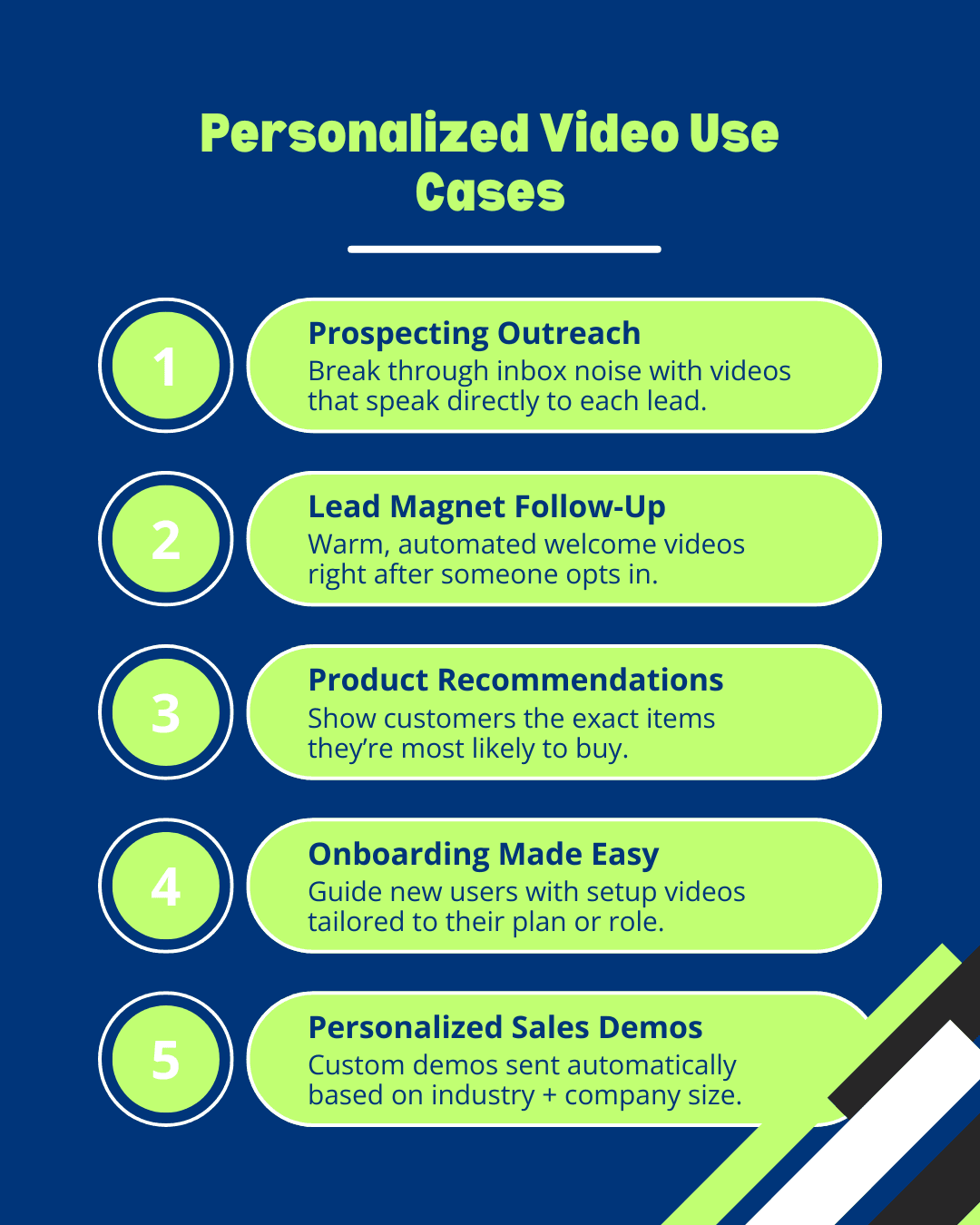
Personalized Sales Follow-Ups
Replace static follow-up emails with videos personalized by:
Prospect name and company
Pain points discussed
Stage in the pipeline
Result: Higher reply rates and shorter sales cycles.
Customer Onboarding & Activation
Welcome new customers with videos personalized by:
Plan or product purchased
Key next steps
Role-specific guidance
Result: Faster time-to-value and improved retention.
Account Reviews & Renewals
Deliver personalized recap videos using:
Usage data
Performance metrics
Renewal timelines
Result: Stronger relationships and higher renewal rates.
Re-Engagement & Win-Back Campaigns
Trigger personalized videos when:
Users go inactive
Engagement drops
Churn risk increases
Result: Humanized outreach at scale, without manual effort.
What to Look for in a CRM Personalization Video Platform
When evaluating solutions, teams should look beyond “video personalization” and ask:
Does it integrate natively with our CRM?
Can it handle real-time data updates?
Is it easy for marketing, sales, and CX teams to use?
Can it scale across multiple use cases?
Does it support automation and triggering?
Tailor is built specifically to answer these needs—turning CRM data into scalable, high-impact personalized video experiences across the customer journey.
Final Thoughts: Turning CRM Data Into Human Experiences
Your CRM already holds the story of every customer relationship. CRM personalization video is simply the most effective way to tell that story—visually, personally, and at scale.
For teams considering personalized video, the question isn’t if CRM data should power video—it’s how quickly you can activate it.
When done right, CRM personalization video doesn’t feel like marketing at all. It feels like a conversation.
Related Reads for You
Discover more articles that align with your interests and keep exploring.